
With Hello Bar's advanced targeting options, you can create date-based targeting rules for your popups and modals to make sure time-sensitive messages and offerings are delivered right when you need them to be displayed to your site visitors.
Here's how you can easily set your pop-up to only display on a certain date using Hello Bar's custom targeting rules:
- Go to the Targeting section of the Hello Bar dashboard and click on the green button that says "Create new rule".
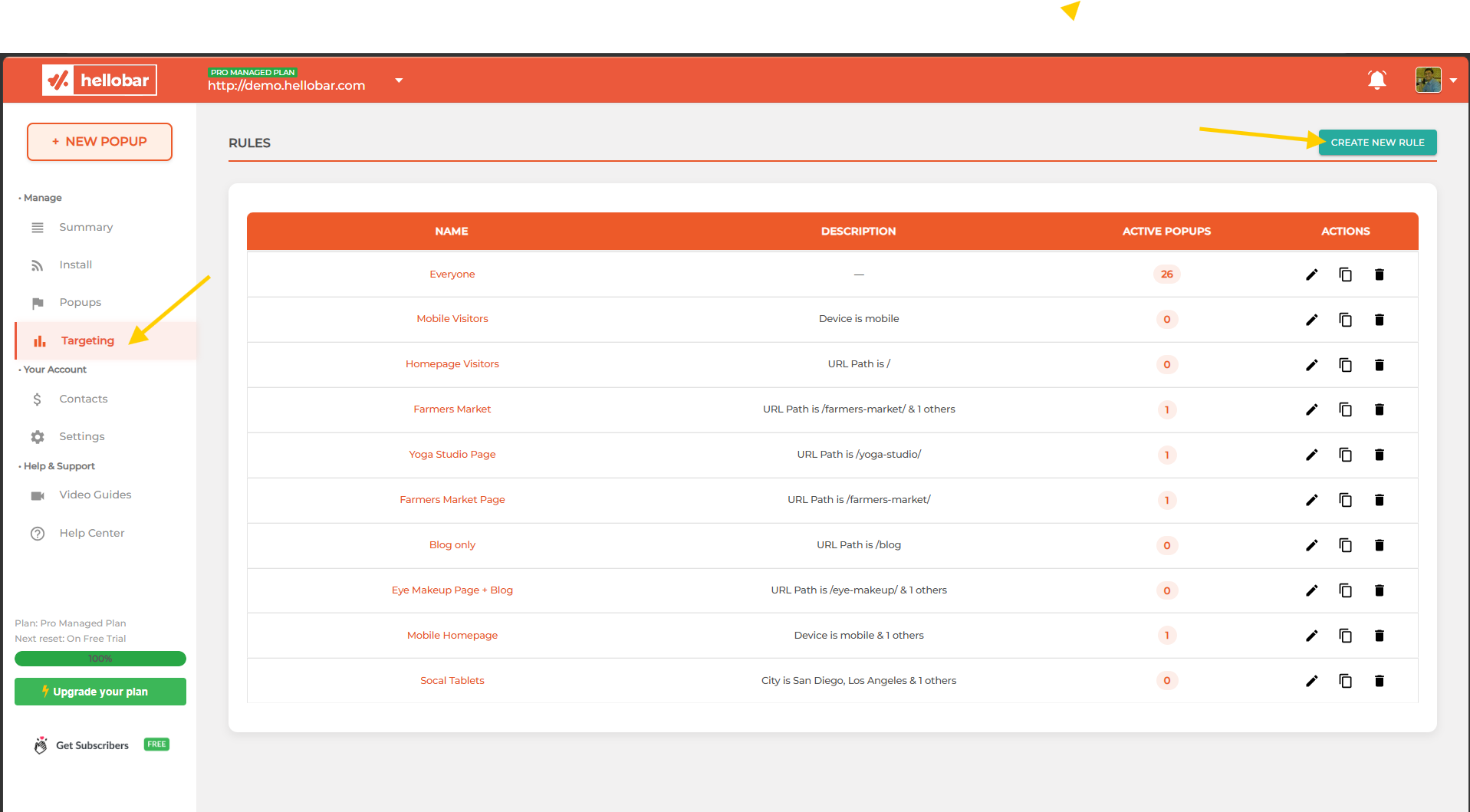
- After clicking this, a modal will appear, where you will be able to create a new targeting rule.
On this modal, click the blue plus sign button
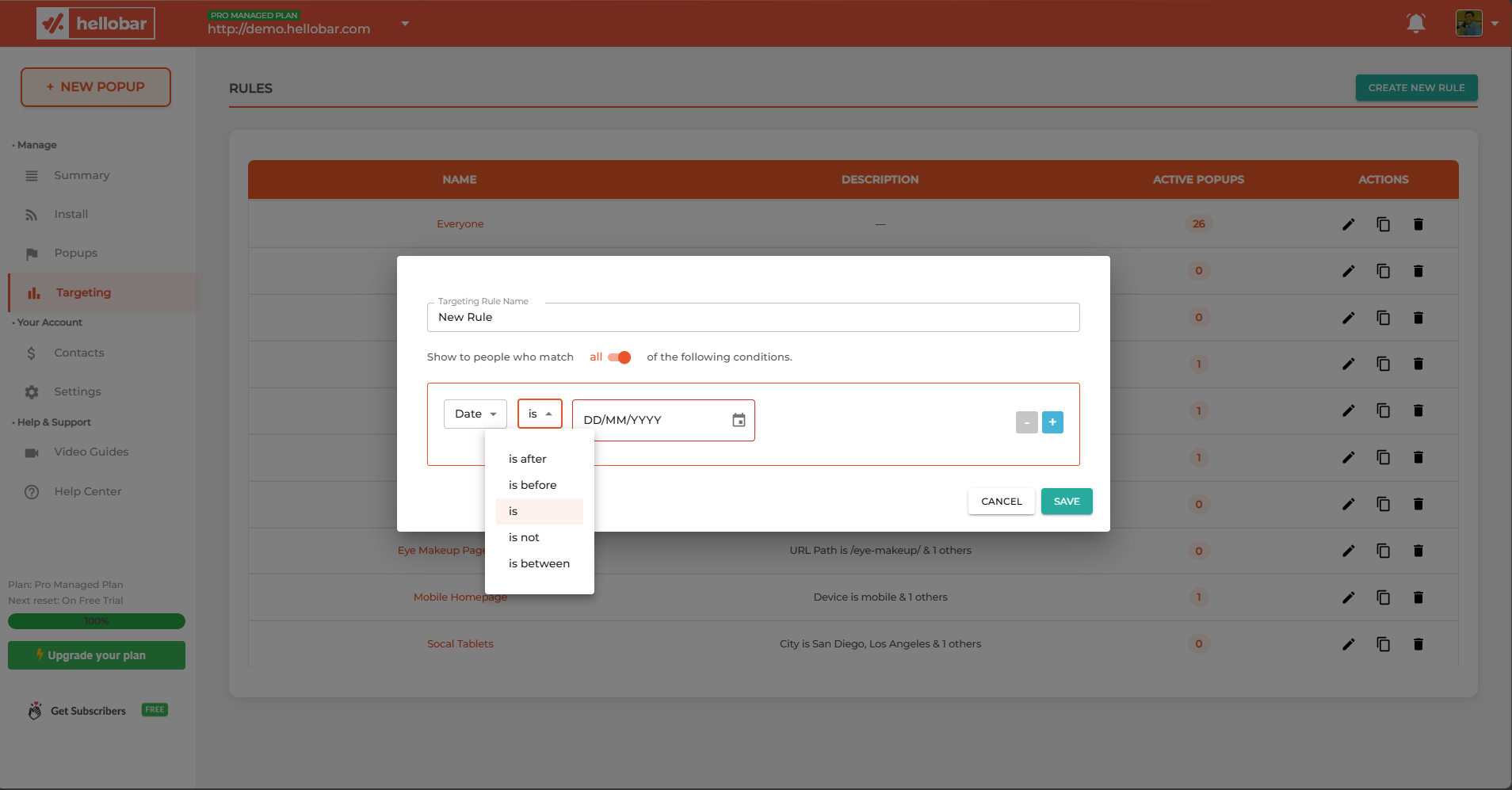
- Next, select "Date" from the drop-down menu of the first field
- In the middle field, you will be able to choose if you would like to specify the pop-up to show up on a specific date (is), to not show up on a specific date (is not), or you can choose whether you would like the pop-up to occur before, after, or between certain dates.
- Then, you will be able to select your preferred date(s). Before saving, be sure to name your new targeting rule!
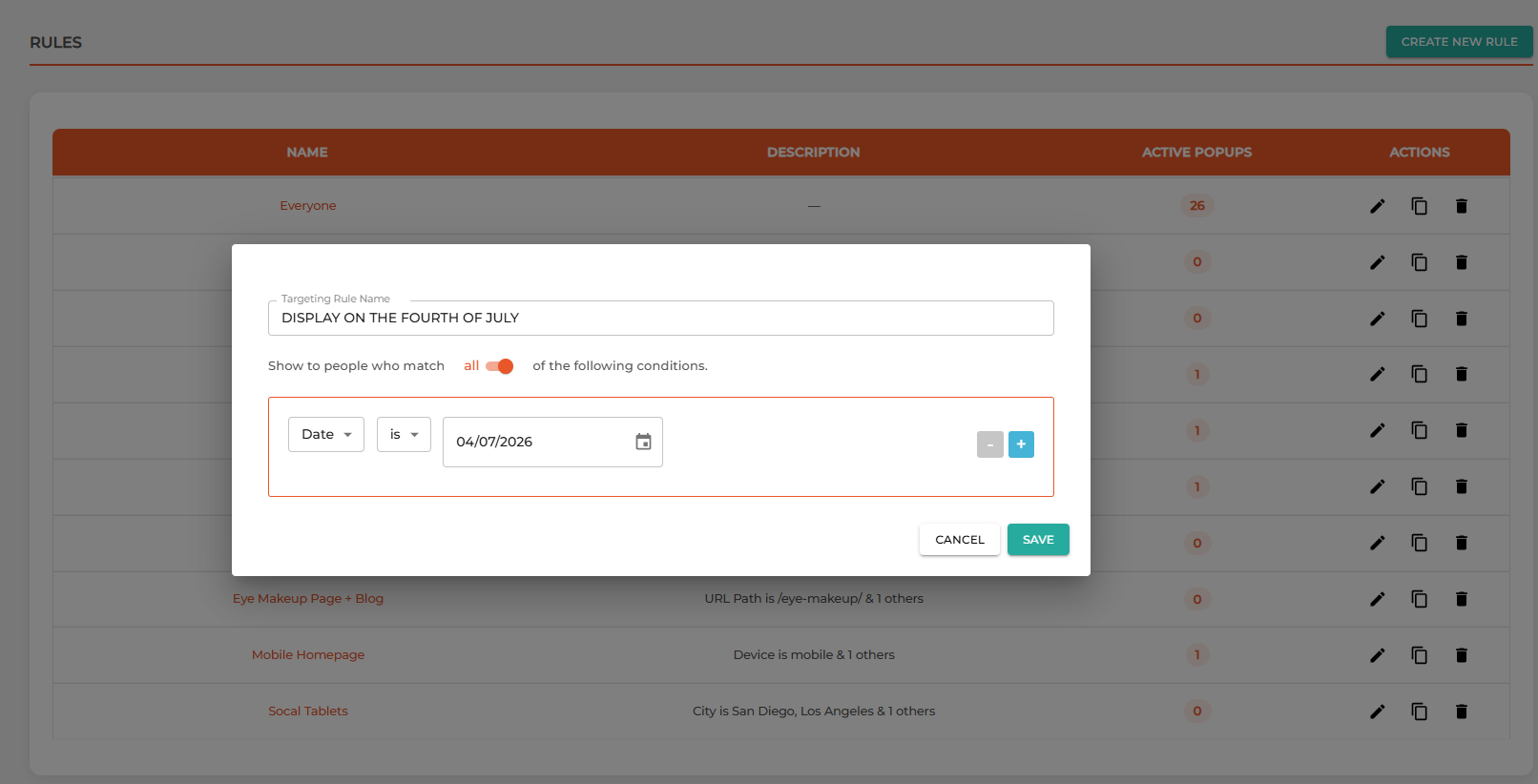
Here is an example of how to set your pop-up to show for only a specific day. Such as if you had a pop-up that you would like to display only on July 4th, 2026:
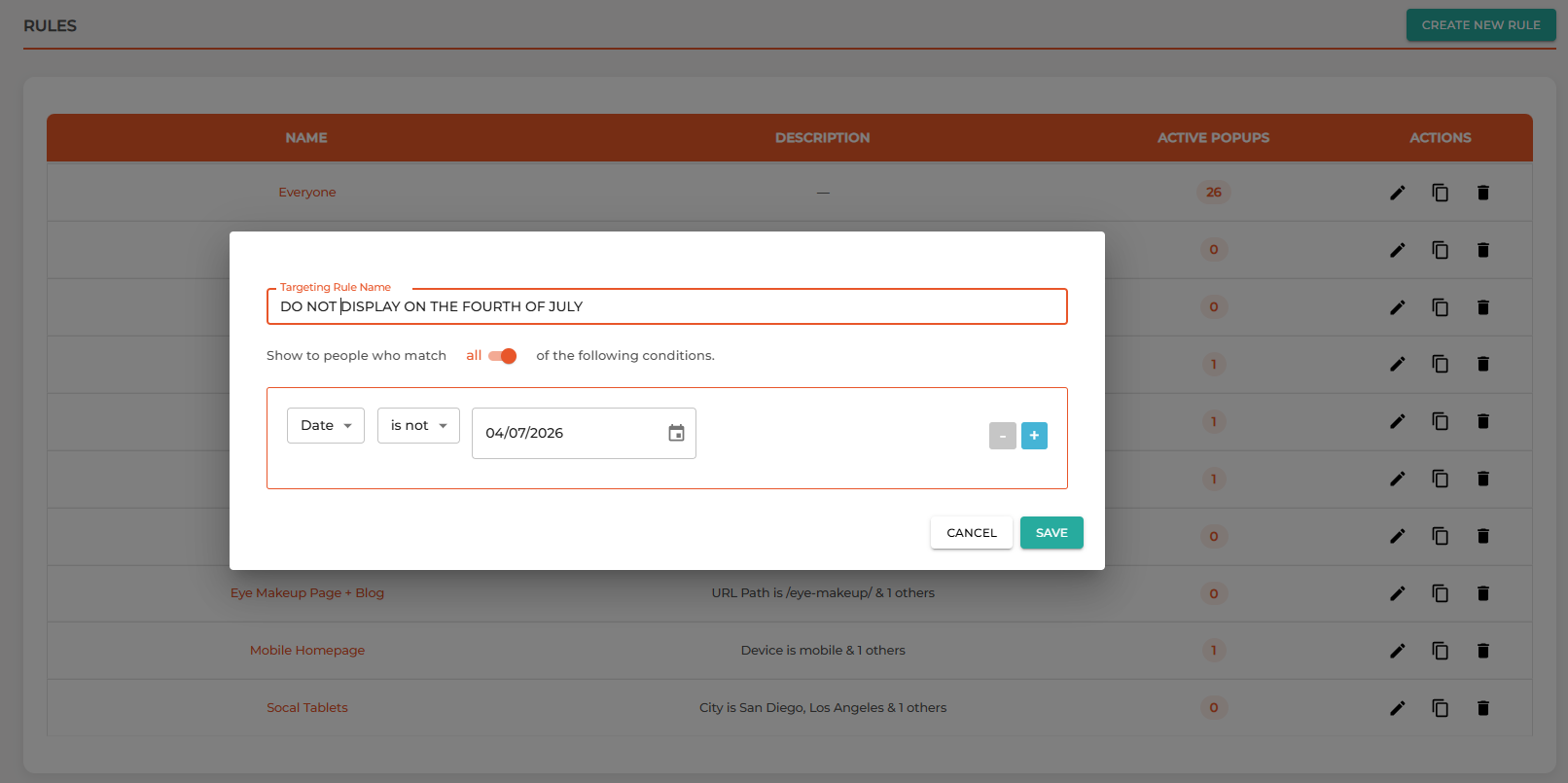
If you were hoping to exclude a certain date, you would set it up as follows:
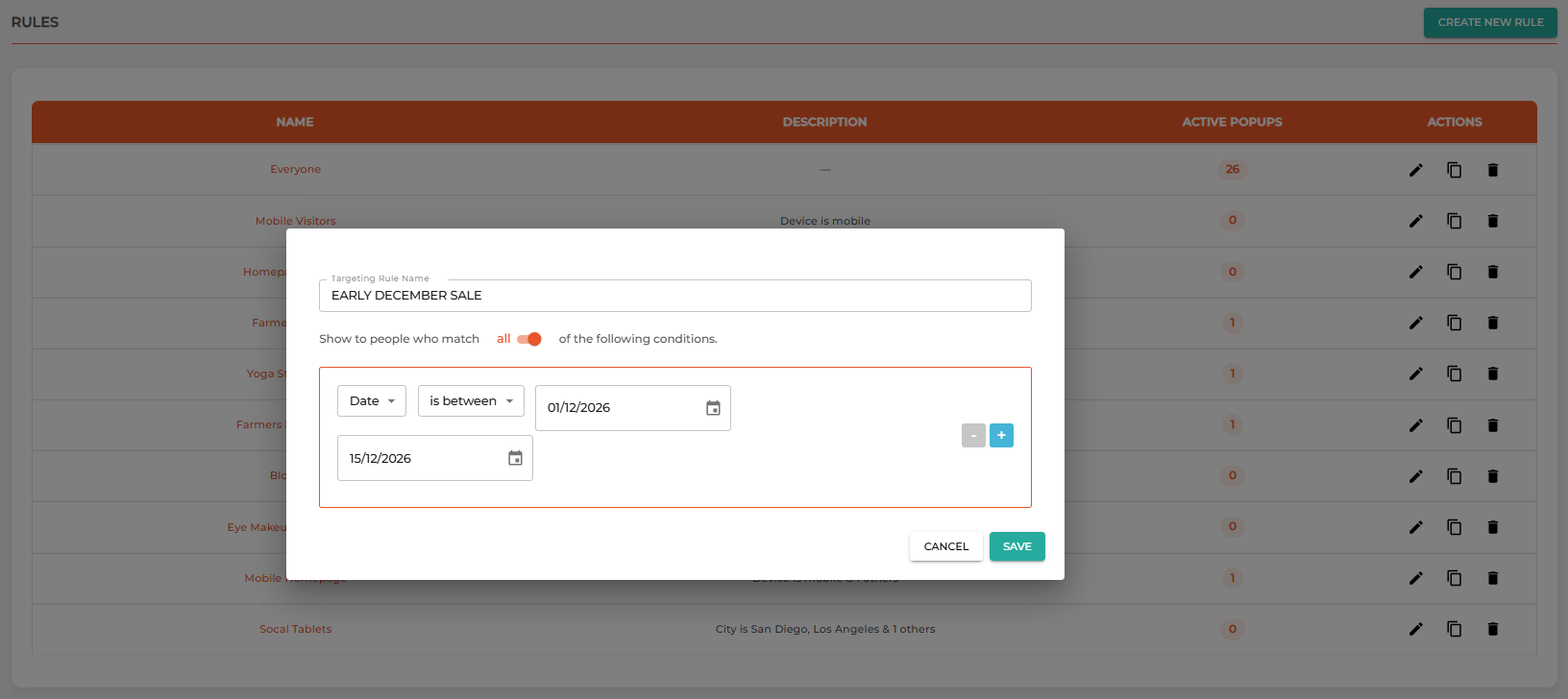
Here's how to set your pop-up to display between certain dates. For example, maybe you have a special sale from December 1st to December 15th:
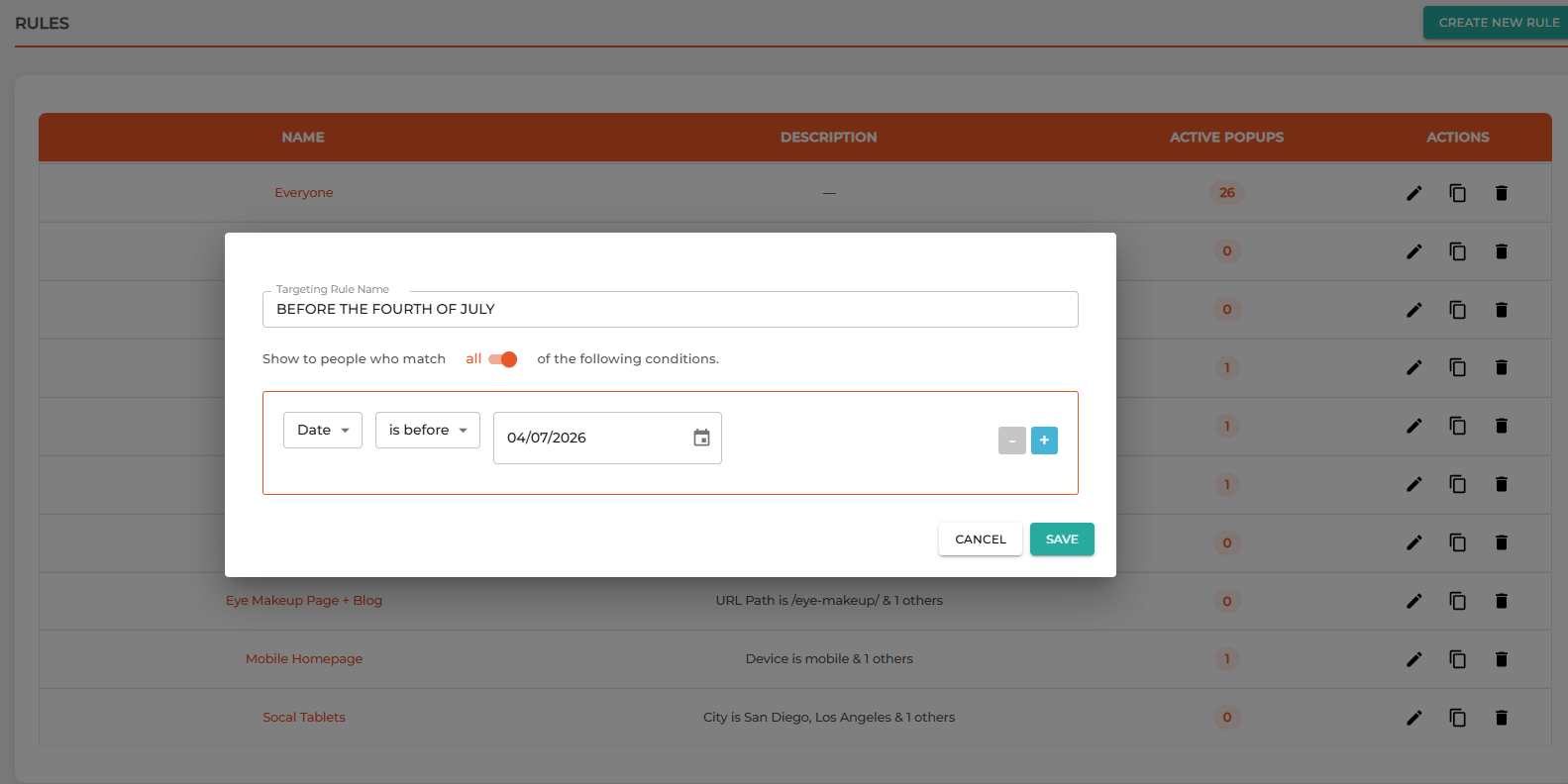
If you want to have a certain pop-up show before a certain date and not after it, you would set it up as follows:
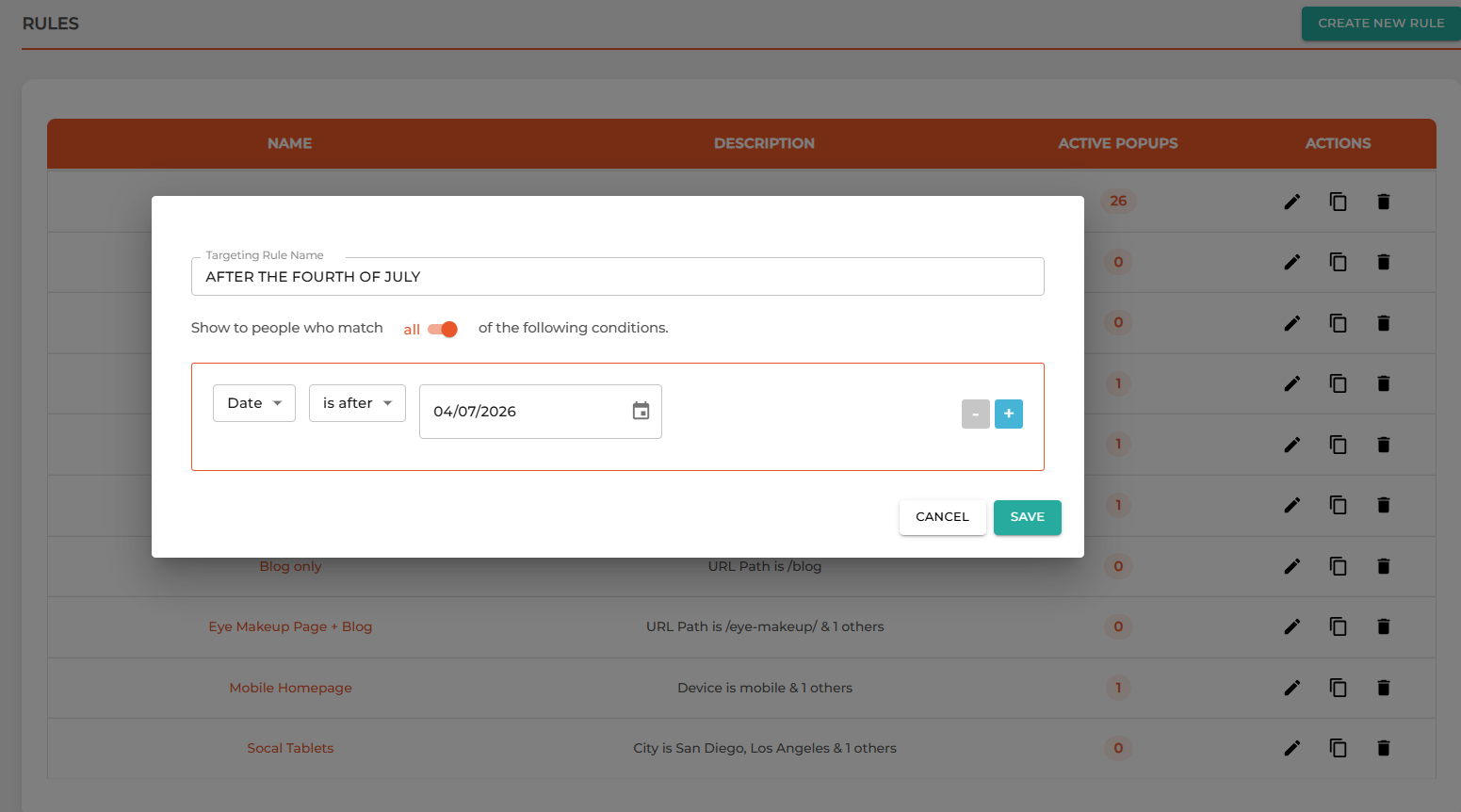
Or, conversely, here is how to set your pop-up to only show after a certain date:
Please keep in mind that Hello Bar's time zone is based in the UTC time zone, so we measure the start of each day according to that time zone. If you are in another time zone, you will want to combine your date targeting with time targeting, too, to ensure that your pop-up displays correctly according to your preferred time zone!
If you are on our Free Starter Plan, you will not be able to set your pop-ups to appear on a certain date, or surrounding certain dates. If you are interested in using these features, upgrade to one of our Growth or Elite plans.